
Desktop vs. All-in-One PCs: Making the Right Choice

Introduction
In the ever-evolving world of personal computing, choosing the right type of PC can be a daunting task. Among the myriad options available, two categories stand out: traditional desktop computers and All-in-One PCs (AIOs). In this article, we’ll dive into the pros and cons of each to help you make an informed decision and find the perfect computing solution for your needs.
Desktop PCs: Power and Customization
Pros:
- Power and Performance: Desktop computers are known for their raw power. They typically offer faster processors, better graphics cards, and more RAM compared to their AIO counterparts. This makes them ideal for resource-intensive tasks like gaming, video editing, and 3D rendering.
- Customization: One of the biggest advantages of desktop PCs is their flexibility. You can easily upgrade components such as the CPU, GPU, RAM, and storage, allowing you to keep your system up to date without replacing the entire unit.
- Better Cooling: Desktops often have superior cooling systems, which means they can handle prolonged, high-intensity tasks without overheating.
Cons:
- Space Requirements: Desktops typically require more space due to separate components like the tower, monitor, keyboard, and mouse. They may not be suitable for compact workspaces.
- Cable Management: With more components, desktops tend to have more cables, which can lead to a cluttered workspace if not managed properly.
All-in-One PCs: Sleek and Space-Saving
Pros:
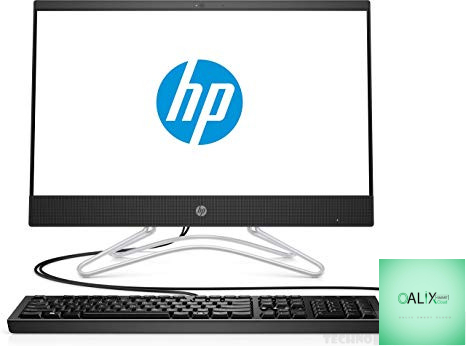
- Space Efficiency: AIOs are designed to save space. They integrate the computer’s components into the monitor, eliminating the need for a separate tower. This makes them perfect for small offices or minimalist setups.
- Aesthetics: AIOs often have sleek and modern designs that blend seamlessly with contemporary interiors.
- Ease of Setup: AIOs are typically easier to set up compared to desktops. You only need to plug in one cable and you’re ready to go.
Cons:
- Limited Upgradability: AIOs are not as easily upgradable as desktops. Many components, including the CPU and GPU, are soldered to the motherboard, making it challenging to replace or upgrade them.
- Performance Constraints: While AIOs are capable of handling everyday computing tasks and even some light gaming, they may struggle with resource-intensive applications and gaming at the highest settings.
- Higher Price: AIOs tend to be pricier than desktops with similar specifications due to their integrated design and aesthetics.
Conclusion:
Which One Is Right for You?
The choice between a desktop PC and an All-in-One PC ultimately depends on your specific needs and preferences. If you value raw power, customization options, and plan to use your computer for demanding tasks, a desktop PC is likely the better choice. However, if you prioritize space-saving design, aesthetics, and simplicity, an All-in-One PC can be an excellent fit for your home or office.
Consider your budget, the tasks you’ll be performing, and the available space when making your decision. Whichever you choose, both desktops and AIOs offer their unique advantages, ensuring that you can find the perfect computing solution to meet your requirements.


