
The Power of All-in-One Printers: A Complete Guide to Printing, Scanning, and Copying

Introduction
In the world of modern office and home technology, convenience and versatility are paramount. Enter the all-in-one printer, a multifunctional device that combines the functionalities of printing, scanning, and copying into a single compact package. Whether you’re running a home office, managing a small business, or simply seeking an efficient solution for everyday tasks, the all-in-one printer proves to be an indispensable tool. In this comprehensive guide, we’ll explore the benefits, features, and considerations of all-in-one printers, unlocking their potential to transform the way you work.
The All-in-One Advantage: A Multifunctional Marvel
Defining All-in-One Printers:
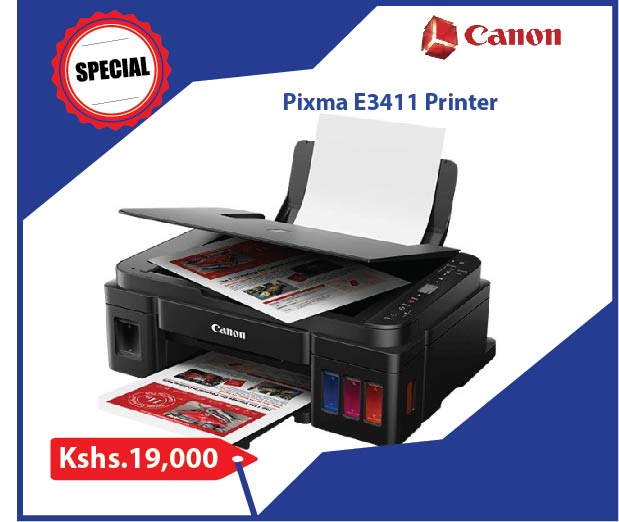
All-in-one printers, also known as multifunction printers (MFPs), are devices designed to perform multiple tasks seamlessly, including printing, scanning, copying, and often faxing. They consolidate essential office functionalities into a single unit, streamlining workflows and saving valuable space.
Benefits of All-in-One Printers:
1. Space Efficiency: Eliminate the need for multiple devices by housing printing, scanning, and copying functions in one compact unit, saving valuable workspace.
2. Cost Savings: Investing in an all-in-one printer is often more economical than purchasing individual devices, reducing upfront costs and long-term maintenance expenses.
3. Convenience: Enjoy the convenience of having all essential office tasks readily accessible from a single device, reducing the need to switch between equipment.
4. Time Efficiency: Multifunction printers speed up various tasks, enabling you to print, scan, and copy documents without wasting time moving between different devices.
5. Versatility: All-in-one printers accommodate a range of document sizes and types, from standard letter paper to envelopes and legal-sized documents.
Key Features to Consider:
1. Printing Quality and Speed: Evaluate the printer’s print quality, resolution, and speed to ensure it meets your requirements for both text and graphics.
2. Scanning Capabilities: Look for optical resolution, color depth, and compatibility with scanning software for accurate and detailed scans.
3. Copying Efficiency: Consider copy speed, automatic document feeders (ADF) for multiple-page copying, and the ability to adjust settings for optimal output.
4. Connectivity Options: Opt for models with various connectivity options, including USB, Wi-Fi, Ethernet, and mobile printing capabilities for greater convenience.
5. Software and Features: Research included software packages, such as scanning and printing utilities, mobile apps, and cloud integration for enhanced functionality.
Choosing the Right All-in-One Printer:
1. Determine Your Needs: Assess your printing, scanning, and copying needs, including document volume and required features, to select a printer that aligns with your requirements.
2. Consider Long-Term Costs: While initial costs are essential, factor in ongoing expenses such as ink or toner replacement and maintenance.
3. Read Reviews: Research user reviews and expert opinions to gain insights into real-world performance, reliability, and user experiences.
4. Brand Reputation: Choose reputable brands known for producing reliable and high-quality all-in-one printers.
5. Future-Proofing: Opt for models that offer wireless capabilities, mobile printing, and cloud integration to ensure your printer remains relevant as technology advances.
Conclusion
In the realm of efficient office equipment, the all-in-one printer stands as a shining example of convenience, versatility, and practicality. With its ability to seamlessly combine printing, scanning, and copying functions, this multifunction marvel is an invaluable asset for any workspace. From streamlining tasks to saving space and costs, the all-in-one printer has the potential to redefine the way you approach everyday document-related activities.


