
Enhance Your Desktop Experience: Monitors, Keyboards, and Mice Accessories

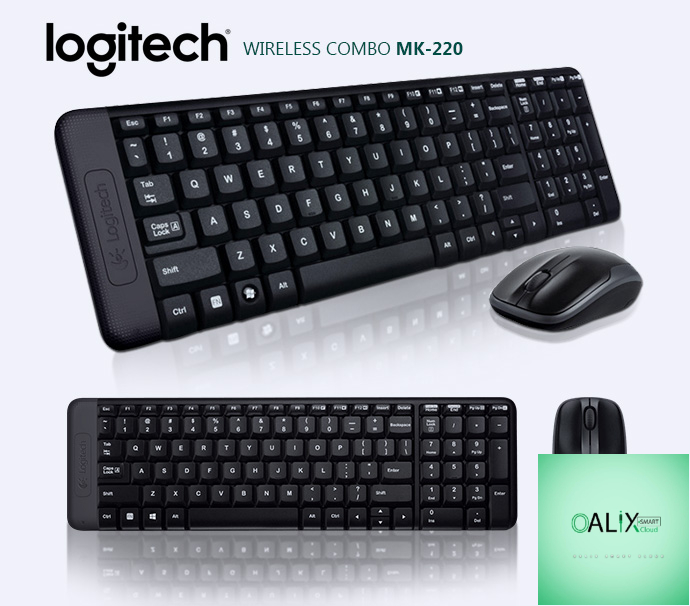
Introduction:
Your desktop computer is the centerpiece of your digital workspace, but it’s the peripherals and accessories that make the real difference in your daily computing experience. In this blog post, we’ll delve into the world of desktop accessories, focusing on monitors, keyboards, and mice, and how choosing the right ones can significantly enhance your productivity and enjoyment.
1. Monitors: The Window to Your Digital World
Your monitor is where you interact with your computer, and the right choice can greatly impact your computing experience.
- Size Matters: Consider the size that fits your desk and viewing preferences. Larger monitors offer more screen real estate for multitasking.
- Resolution: Higher resolution displays (e.g., 4K) provide sharper and more detailed visuals, ideal for tasks like photo editing or gaming.
- Panel Type: Different panel types offer varying color accuracy and viewing angles. IPS panels are known for their vibrant colors and wide viewing angles.
- Refresh Rate: Gamers should look for monitors with higher refresh rates for smoother gameplay.
2. Keyboards: Typing Comfort and Efficiency
A good keyboard is essential for typing comfort and efficient workflow.
- Mechanical vs. Membrane: Mechanical keyboards provide tactile feedback and durability, while membrane keyboards are quieter and more budget-friendly.
- Ergonomics: Look for keyboards with ergonomic designs to reduce strain during long typing sessions.
- Backlit Keyboards: Backlit keyboards are useful for low-light environments and add a stylish touch.
3. Mice: Precision and Control
Your mouse is your primary tool for navigating your computer, so choosing the right one is crucial.
- DPI (Dots Per Inch): A higher DPI allows for more precise cursor movement. Gamers often prefer mice with adjustable DPI settings.
- Ergonomic Design: Ergonomic mice are designed to fit comfortably in your hand, reducing the risk of repetitive strain injuries.
- Wireless vs. Wired: Wireless mice provide more flexibility but may require regular battery changes. Wired mice offer a reliable connection.
4. Accessories That Enhance Productivity
Consider additional accessories to boost your productivity:
- Docking Stations: Connect multiple peripherals and displays with ease.
- Monitor Arms: Position your monitor at the perfect height and angle for ergonomic comfort.
- Mousepads: Enhance mouse accuracy and provide a smooth surface for your mouse to glide on.
- Numeric Keypads: Useful for data entry tasks or when your keyboard lacks a numeric keypad.
5. Customizing Your Setup
Ultimately, your desktop accessories should complement your unique needs and preferences. Customize your setup with accessories that cater to your workflow, whether you’re a gamer, a graphic designer, or a data entry specialist.
Conclusion:
Elevate Your Desktop Experience
Your desktop accessories are the tools that bridge the gap between you and your digital world. Choose them wisely to create a workspace that not only looks good but also enhances your productivity, comfort, and enjoyment. Whether you’re upgrading your monitor for better visuals, picking the perfect keyboard for typing comfort, or selecting a mouse for precision control, investing in the right desktop accessories can make your computing experience truly exceptional.


