
RAM Matters: Understanding Memory Modules

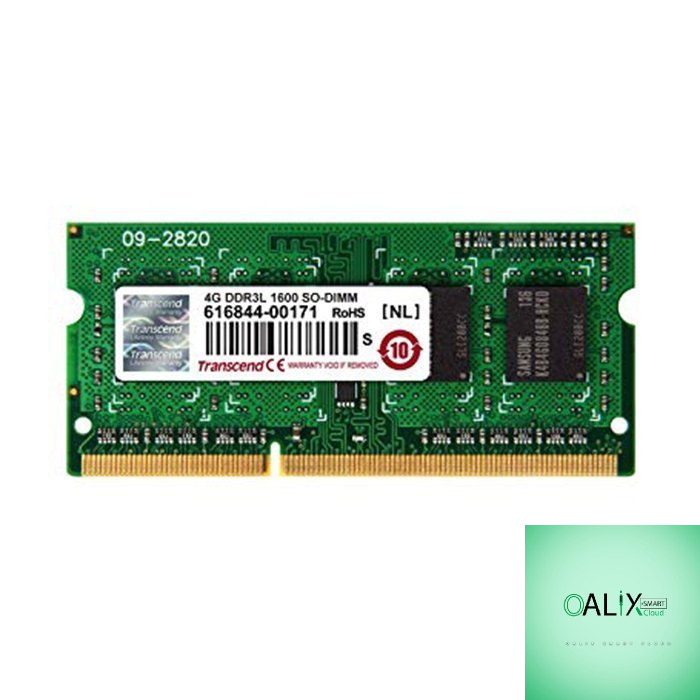
Introduction
Random Access Memory, or RAM, is one of the unsung heroes of computer performance. While CPUs and graphics cards often steal the limelight, the importance of RAM should not be underestimated. In this blog post, we’ll delve into the world of RAM, exploring what it is, why it matters, and the key factors you should consider when choosing memory modules for your computer.
What is RAM, and Why Does it Matter?
RAM is your computer’s short-term memory. It’s where your computer stores data that’s actively being used or processed. When you open an application, load a game, or edit a document, the relevant data is loaded into RAM for quick and easy access by the CPU. In simple terms, RAM determines how many tasks your computer can handle simultaneously and how smoothly it can handle them.
Here’s why RAM matters:
- Multi-Tasking: The more RAM you have, the more applications and tasks your computer can juggle without slowing down. This is crucial for multitasking, especially for power users, gamers, and content creators.
- Performance: RAM speed directly impacts your computer’s performance. Faster RAM allows for quicker data access, reducing load times and enhancing overall system responsiveness.
- Gaming: Many modern games require substantial RAM for smooth gameplay. Having ample RAM ensures that your games run without stuttering or lag.
- Content Creation: Video editing, 3D rendering, and other resource-intensive tasks benefit greatly from higher RAM capacities, as they require more memory to handle large files and complex operations.
Now that we understand the importance of RAM let’s explore the key factors to consider when selecting memory modules:
1. Capacity: More is Better, but Be Mindful of Needs
RAM capacity is measured in gigabytes (GB). For most users, 8GB is the minimum for basic tasks, while 16GB is recommended for general use. Gamers and content creators often opt for 32GB or even 64GB for demanding workloads.
2. Speed (MHz): Balance Between Performance and Budget
RAM speed is measured in megahertz (MHz). Higher MHz generally means better performance. However, the real-world difference may not be significant for everyday tasks. Gamers and enthusiasts often aim for 3000MHz or faster, while mainstream users can get by with 2400MHz to 2666MHz.
3. DDR Version: DDR4 Dominates, but DDR5 is Emerging
DDR (Double Data Rate) is the generation of RAM. DDR4 is the most common and widely supported today. DDR5 is starting to emerge, offering faster speeds and improved efficiency. However, DDR5 is currently limited to select platforms, so DDR4 remains a solid choice for most builds.
4. Latency (CAS Latency): Lower is Better
CAS (Column Address Strobe) latency is a measure of RAM’s response time. Lower CAS latency values indicate faster response times. When comparing RAM modules of the same speed, opt for the one with the lower CAS latency for better performance.
5. Compatibility: Check Your Motherboard
Ensure that the RAM you choose is compatible with your motherboard. Check your motherboard’s documentation or manufacturer’s website for a list of supported RAM modules.
Conclusion
In conclusion, RAM plays a vital role in your computer’s performance and multitasking capabilities. Choosing the right RAM modules involves considering capacity, speed, DDR version, latency, and compatibility. Investing in quality RAM that meets your specific needs will result in a smoother and more responsive computing experience, whether you’re gaming, creating content, or tackling everyday tasks. Remember, RAM truly does matter.


